AMD Radeon for AI
Use a representative workload to assess your model, GPU memory needs and execution performance.
AI infrastructure · Comino GRANDO
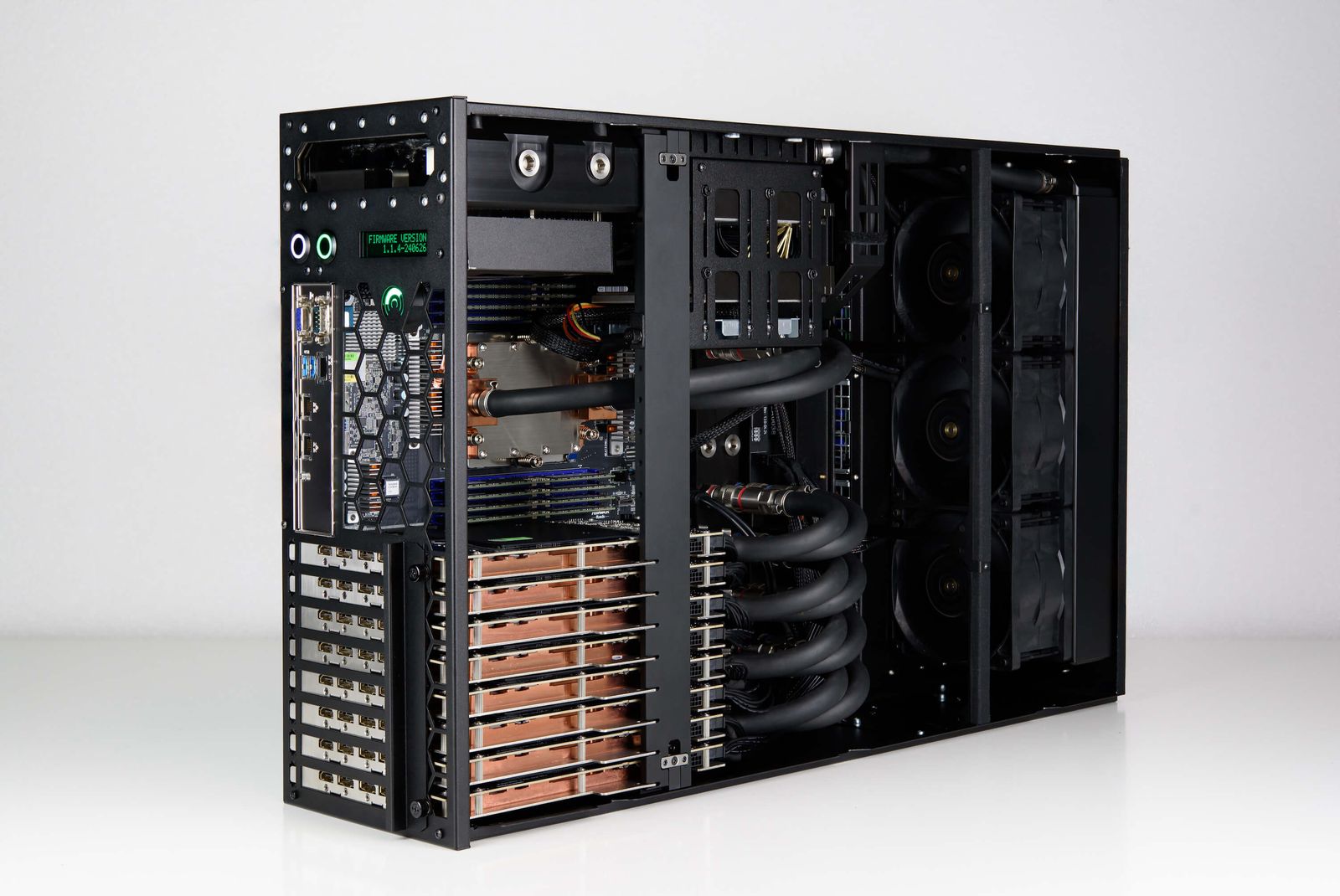
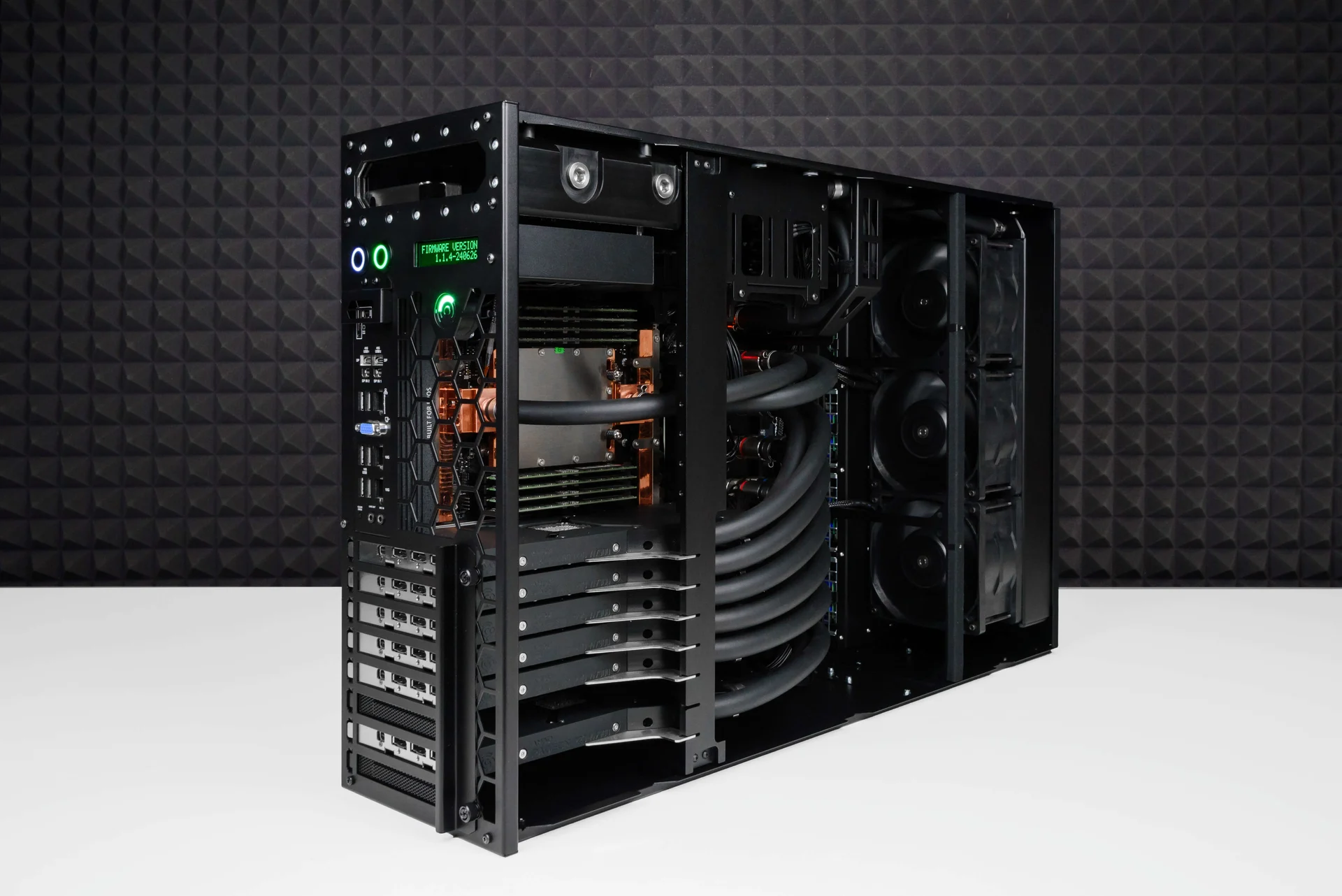
From deskside workstations to rack-mounted multi-GPU systems, Comino GRANDO is built around closed-loop liquid cooling. EudTech reviews your workload, noise, space, power and cooling needs to prepare a configuration and quotation.
Comino Test Drive · Free remote evaluation
AMD ROCm™W7900 · AI PRO R9700
Apply through Comino’s official Test Drive program to remotely evaluate AMD Radeon PRO W7900, Radeon AI PRO R9700 and ROCm for your AI or HPC workload’s compatibility and performance.
Use a representative workload to assess your model, GPU memory needs and execution performance.
Explore libraries, development tools and runtimes for your AI and HPC software workflow.
Comino GRANDO · AMD Radeon
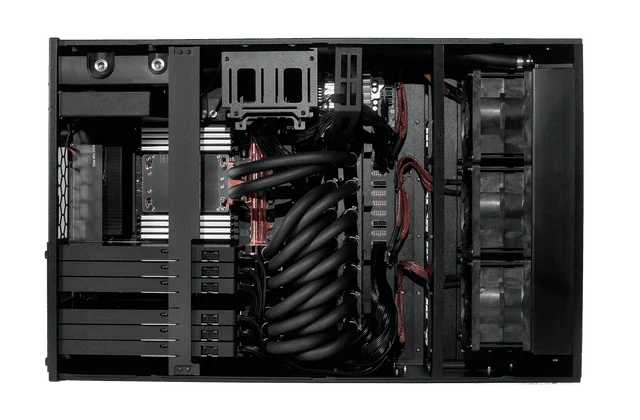
4U · Rackable workstation
AMD EPYC 9004/9005 · 64 cores
Comino liquid cooling
View manufacturer configuration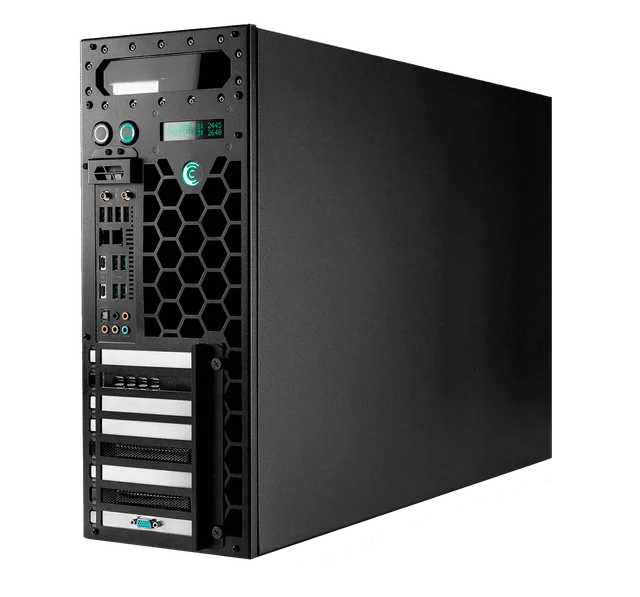
4U · Desktop workstation
AMD Threadripper PRO 7985WX
Comino liquid cooling
View manufacturer configuration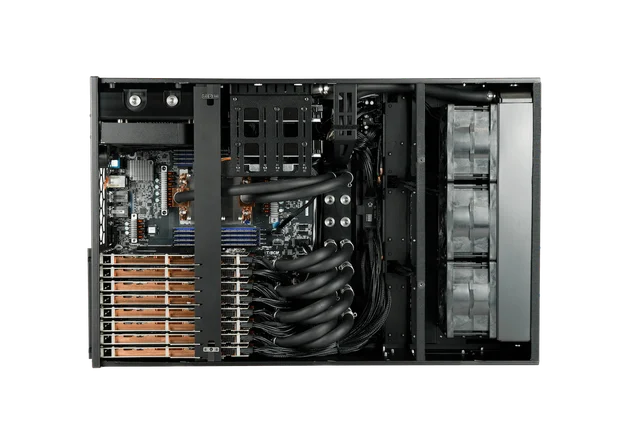
4U · Rackable workstation
AMD EPYC 9004/9005 · 64 cores
Comino liquid cooling
View manufacturer configuration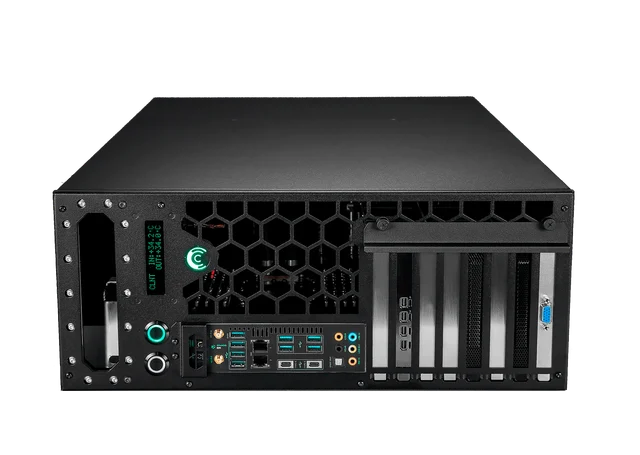
4U · Desktop workstation
AMD Threadripper PRO 7985WX
Comino liquid cooling
View manufacturer configurationConfigurations and chassis images are from Comino’s program page; test resources require Comino’s confirmation. GPU memory is summed across cards; usable capacity depends on multi-GPU software support.
Describe your use case, software and evaluation goals in the official form.
Qualifying applicants receive connection instructions from Comino by email.
After evaluation, discuss GPU configuration, site requirements and a quotation with EudTech.
Evaluation only; commercial use of the free computing time is prohibited. Comino may revoke remote access at any time. Eligibility, configuration and availability are subject to Comino’s confirmation.
Program and imagery: CominoStart with the site
A system needs more than floor or rack space. Heat, noise, power and handling affect where it can operate and how it will be maintained.
Review acoustics and distance from users before choosing deskside or rack deployment.
Consider power, heat removal, handling and service access together.
Short development sessions and sustained loads place different demands on cooling and operations.
Inside the cooling design
Coolant and airflow have different roles. Heat travels from high-load components through the coolant, then leaves the chassis radiator for the surrounding environment.
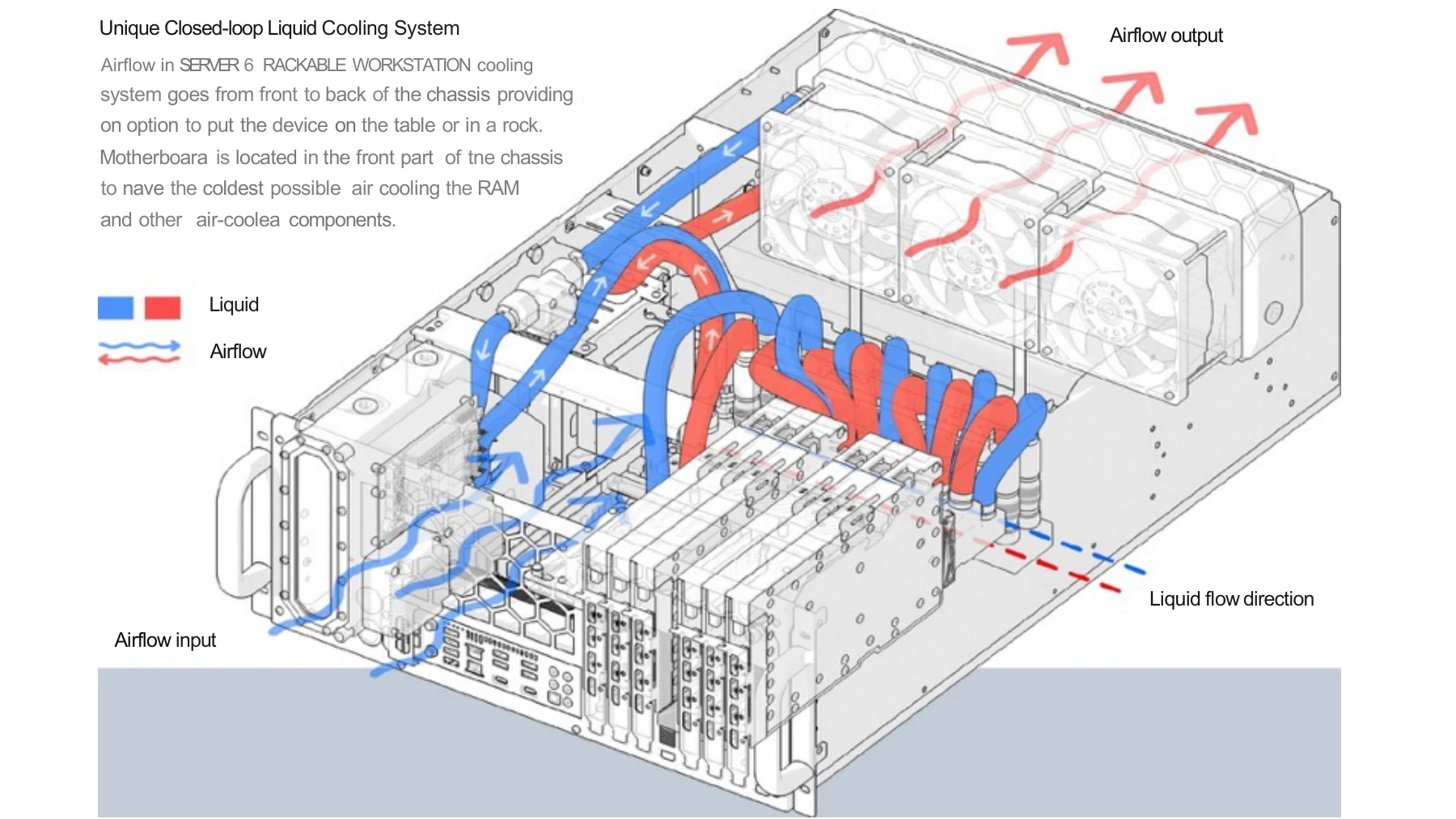
Cooling blocks transfer heat from high-load components, reducing the space required for individual GPU heatsinks.
Pipework carries heat to the chassis radiator. Blocks, pipework and chassis are designed as one system.
Airflow removes heat through the radiator, while intake air also cools components such as RAM.
No cooling tower does not mean no room cooling. The self-contained design described here does not require an external cooling tower. Heat still enters the room, so air conditioning, ventilation and power must be checked.
Two deployment priorities
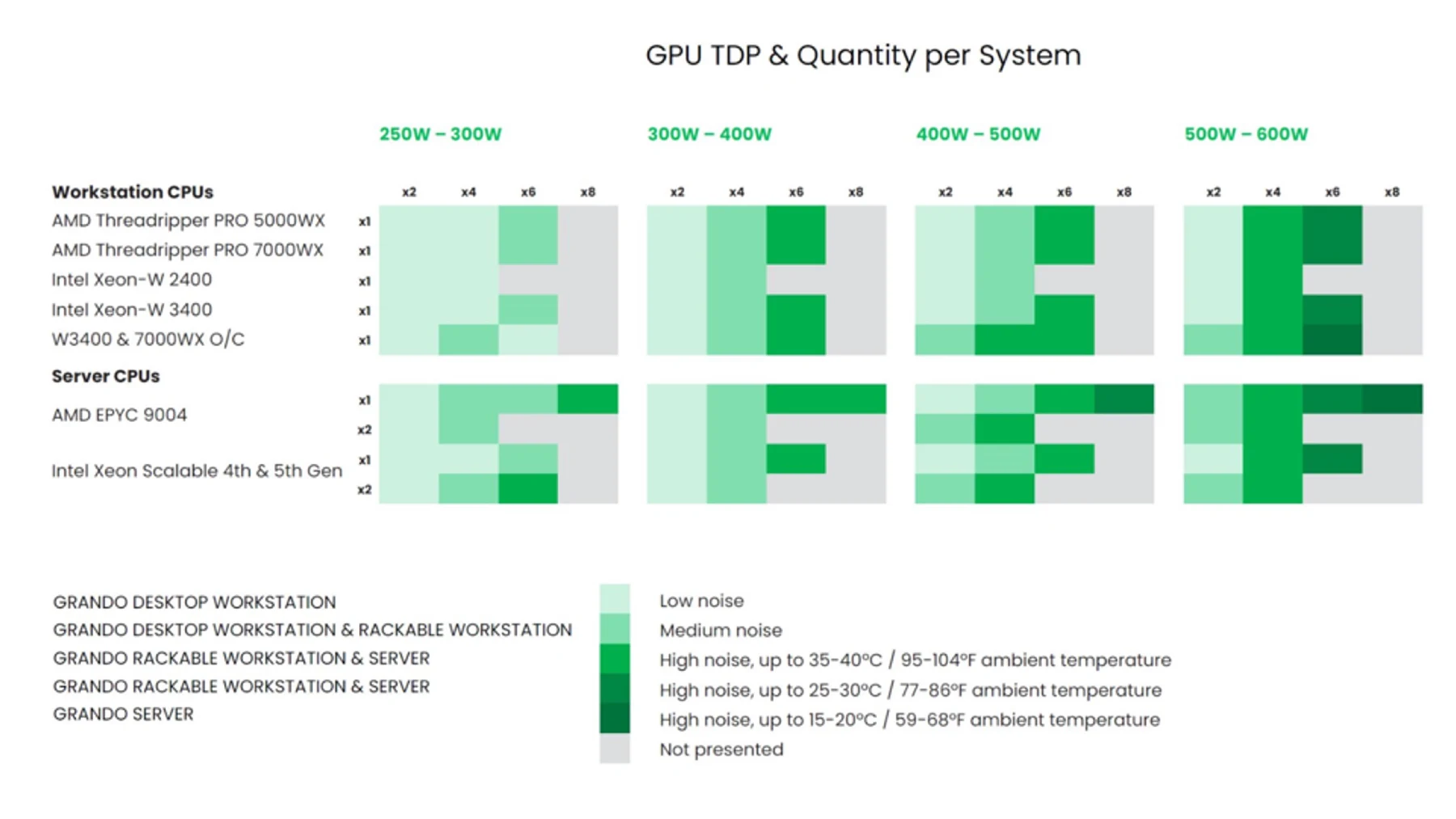
Systems from the same family do not all have the same noise level. GPU power, GPU count, CPU choice and intake temperature must be reviewed together.
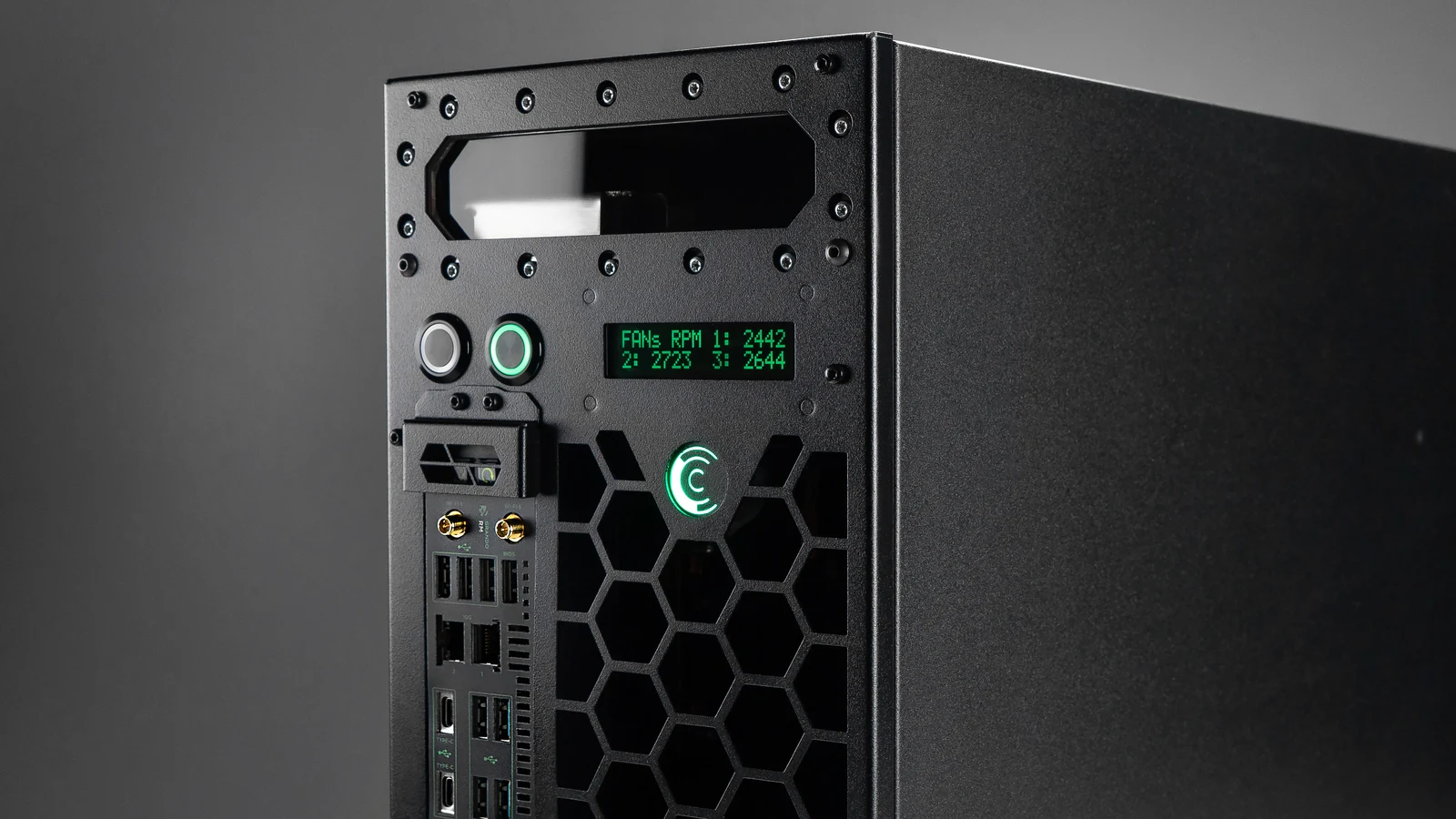
Deskside / lab
Review acoustics, room cooling, available space and distance from users before choosing the GPUs and system configuration.
Manufacturer workstation example; not every GPU configuration is suited to an office.
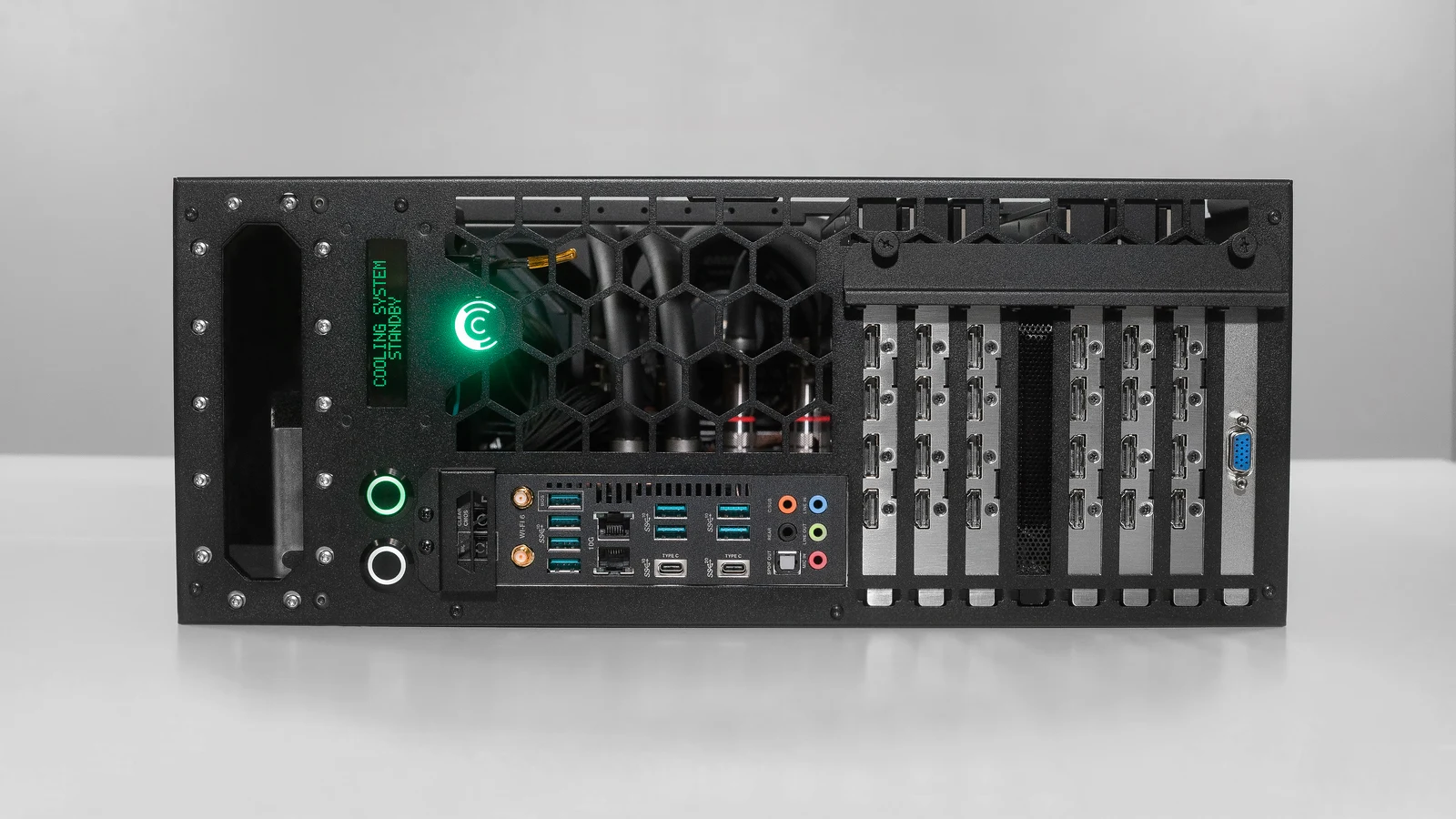
Rack / shared compute
Review power, heat removal, GPU density and service access. Confirm remote management and redundant power for the selected model and load.
Manufacturer rackable chassis example; GPU count and platform compatibility require review.
This Sales Kit 0911 matrix (11 September 2025) illustrates acoustic and environmental tradeoffs by GPU power, count and CPU platform. It is not a live compatibility list. Grey means “not presented”, not incompatible.
Start with your workload
GPU count is a configuration choice, not a software-performance guarantee. Understand how the software and data use the GPUs, then bring site requirements into the decision.
Start with the model, precision, concurrent users and response-time targets, then size GPU memory, GPU count, RAM and storage.
Bring: models, software and expected usage
Review software licensing and support, CPU/GPU roles, precision, inter-GPU data movement and sustained run time.
Bring: software versions and a representative workload
Plan compute, storage and networking around scenes, image workflows, GPU memory, asset volume and expansion needs.
Bring: scene scale, tools and output requirements
Evaluate H200, RTX PRO 6000 Blackwell and GeForce RTX 5090 within the complete system; a GPU model alone does not determine the deployment site. Review CPU platform, inter-GPU communication, memory and expansion against the workload.
Everyday operation
Manufacturer documentation shows cooling-system monitoring, quick-disconnect couplings and different power designs. EudTech confirms monitoring, maintenance responsibilities, warranty and support for the selected system.
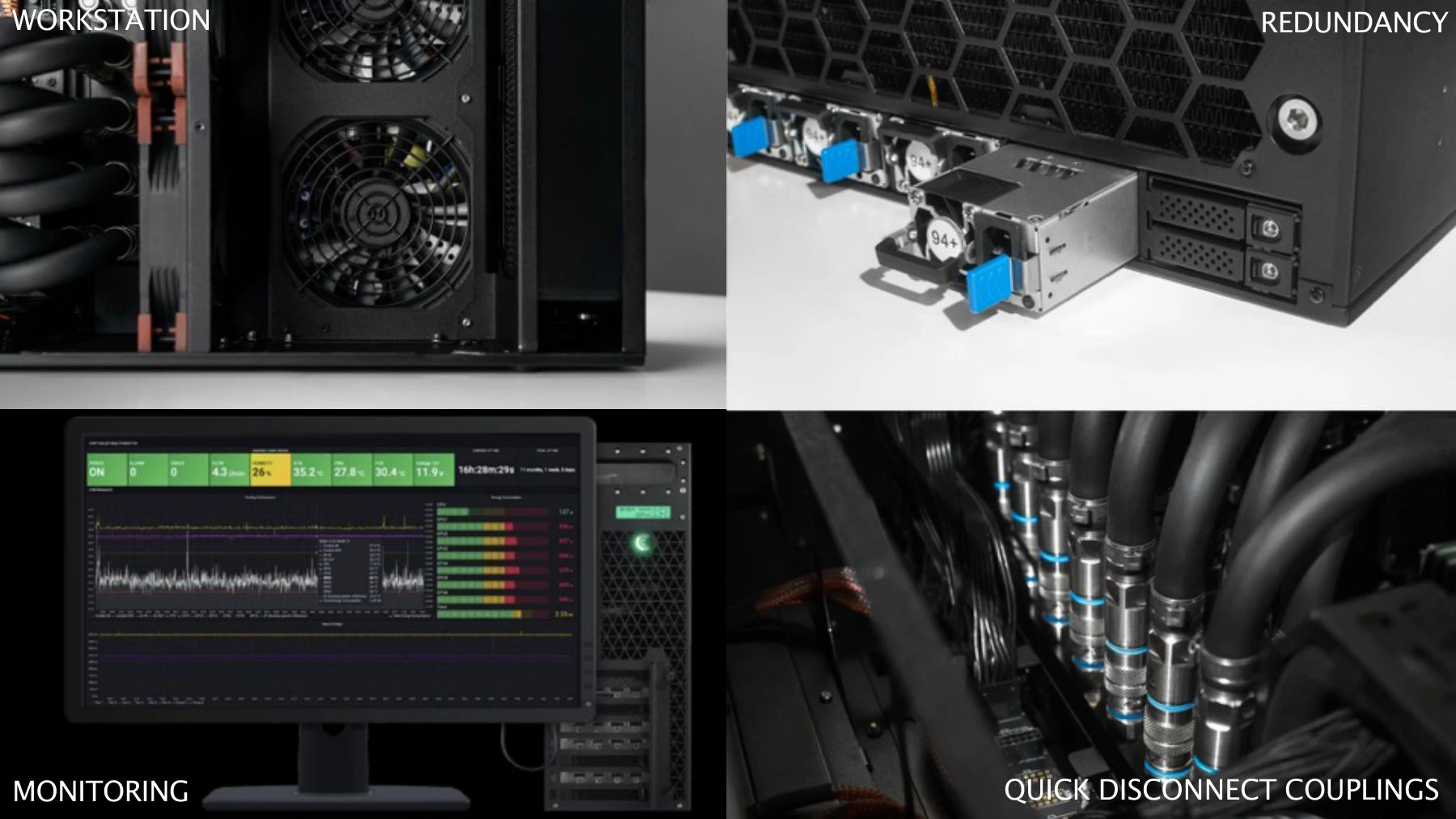
Review temperatures, fans, pumps and cooling-system status. Monitoring and integration depend on the model.
Quick-disconnect couplings (QDC) support servicing under manufacturer procedures; they do not make every component hot-swappable.
Confirm power capacity and redundancy against the model, load and input voltage. Multiple supplies do not automatically provide redundant capacity.
Public-sector procurement reference
For users, IT and procurement teams: start with cooling, service, monitoring and site requirements, then review the actual build and manufacturer documentation.
Documents reviewed:
Traditional Chinese editions translated by EudTech are available in Chinese mode. They retain the original figures, values and page numbering; the English manufacturer originals prevail in case of discrepancy. Translation date:
v2.3 · Original manufacturer PDF in English · 14 pages
Cooling coverage, service, monitoring, power, 4U chassis and environmental conditions for functional and deployment review.
v2.0.2 · Original manufacturer PDF in English · 2 pages
Installation orientation, startup, cooling profiles, coolant maintenance and power-loss recovery settings for deployment and training.
| Requirement | Suggested review | Evidence and acceptance |
|---|---|---|
| Cooling coverage and sustained compute | Describe cooling for CPU, GPU, graphics memory and power components. Validate sustained operation at the agreed workload and intake temperature. | Cooling layout, component temperatures, power, throughput and throttling records.Manufacturer document · pp. 4, 8, 10 |
| Serviceable liquid cooling | Provide procedures for component replacement, coolant handling, leak prevention and return to service. Demonstrate service time when required. | Service manual, coupling demonstration and checks after replacement. QDC does not make every component hot-swappable.Manufacturer document · pp. 4 |
| Monitoring and event records | List monitored and logged temperatures, fans, pumps and cooling states, with standard or optional features and alert methods. | Monitoring views, events and history. Confirm optional coolant-level sensing; review security functions separately.Manufacturer document · pp. 2 |
| Power redundancy at the specified load | When redundancy is required, verify that essential operation continues after one power-module failure at the specified CPU/GPU load. | Input voltage, available-power calculations and a failure test. 4+0 has no redundancy; size 3+1 or 2+2 for the load.Manufacturer document · pp. 10 |
| Site, density and acoustics | Set space, GPU capacity and acoustic requirements from the rack, power, room cooling and user distance. Allow service access. | Complete BOM, dimensions, weight, heat removal and acoustic test conditions. Platform maxima are not guarantees for every build.Manufacturer document · pp. 8–12 |
| Conformity evidence matching the model | Request safety, electromagnetic-compatibility and restricted-substance evidence matching the supplied model and configuration under applicable requirements. | Review model, date, scope and referenced reports in applicable CE, FCC, RoHS or REACH documents; confirm Taiwan product-inspection requirements separately. |
Manufacturer PDFs retain their original wording; the summary clarifies conditions for citation. Performance, energy-saving and temperature claims for retrofit kits require the complete modified system, external cooling equipment and test conditions.
Datasheets and guides are technical information. Review CE/FCC conformity declarations, RoHS/REACH declarations and relevant test reports against the confirmed model and BOM. Declarations and test reports serve different purposes; do not assume every GPU build has undergone the same tests.
For market research and requirements planning. The procuring entity determines necessary requirements from function, benefit and site conditions, allowing equivalent solutions that meet the requirements under applicable procurement rules. Government Procurement Act, Article 26
EudTech selection guidance based on manufacturer documents. Review each cited page together with the actual model and BOM.
Not automatically. A 4+0 arrangement has no redundancy. A 3+1 or 2+2 arrangement still requires checking input voltage, available power per module and total system load. If redundancy is required, verify essential operation after one power-module failure at the agreed CPU/GPU load.
No. The manufacturer datasheet gives a platform reference range of 39–70dB. Confirm the selected model, GPU/CPU configuration, intake temperature, workload and measurement method before agreeing acoustic acceptance criteria. For an office or lab, also assess the distance between the system and its users.
QDC alone does not establish GPU hot-swap support. It is a liquid-cooling service interface. Replacement must follow the manufacturer's shutdown, coolant-handling and return-to-service procedures. Any requirement for maintenance without shutdown needs explicit support for the complete system and affected components.
No. These are manufacturer technical documents and EudTech's Traditional Chinese translations, not manufacturer-issued conformity declarations or test reports. Review applicable CE/FCC documents separately against the supplied model, BOM, date and scope. A datasheet does not establish that every GPU configuration underwent the same tests.
Comino × EudTech
Comino provides the hardware and liquid-cooling system design. EudTech handles local requirements, configuration review and delivery planning so users, IT and procurement work from the same information.
Record models, software, users, data scale and run time, then document GPU, CPU, RAM, storage and networking choices.
Check racks, power, heat removal, noise, handling and networking. Keep a shareable configuration and version for users, IT and procurement.
Confirm supply, installation and documentation, and agree hardware inventory, stress tests, thermals, error logs and workload acceptance.
Define warranty, maintenance responsibilities, training and support. Check origin and procurement requirements against the selected model and manufacturer documents.
Actual supply, installation, testing and support are defined by the formal quotation and agreed scope.
Plan your next step
Use the configurator if you already have a specification. Otherwise, share your software, GPU requirements, run time, site and budget range. EudTech helps identify what needs to be confirmed next.
Share your existing hardware, chassis and use case. Compatibility, modification scope and warranty implications must be reviewed before proposing a retrofit.
Discuss existing hardware