

Follow-up depends on memory
Email, forms, spreadsheets, and chat logs sit apart. The team cannot quickly see the next owner or the deadline.
EudTech connects ERP, CRM, Microsoft 365, databases, and APIs to branded portals, event workflows, and controlled AI agents. Sensitive actions still need human approval.
Payments, formal sends, and major status changes stay behind human approval.
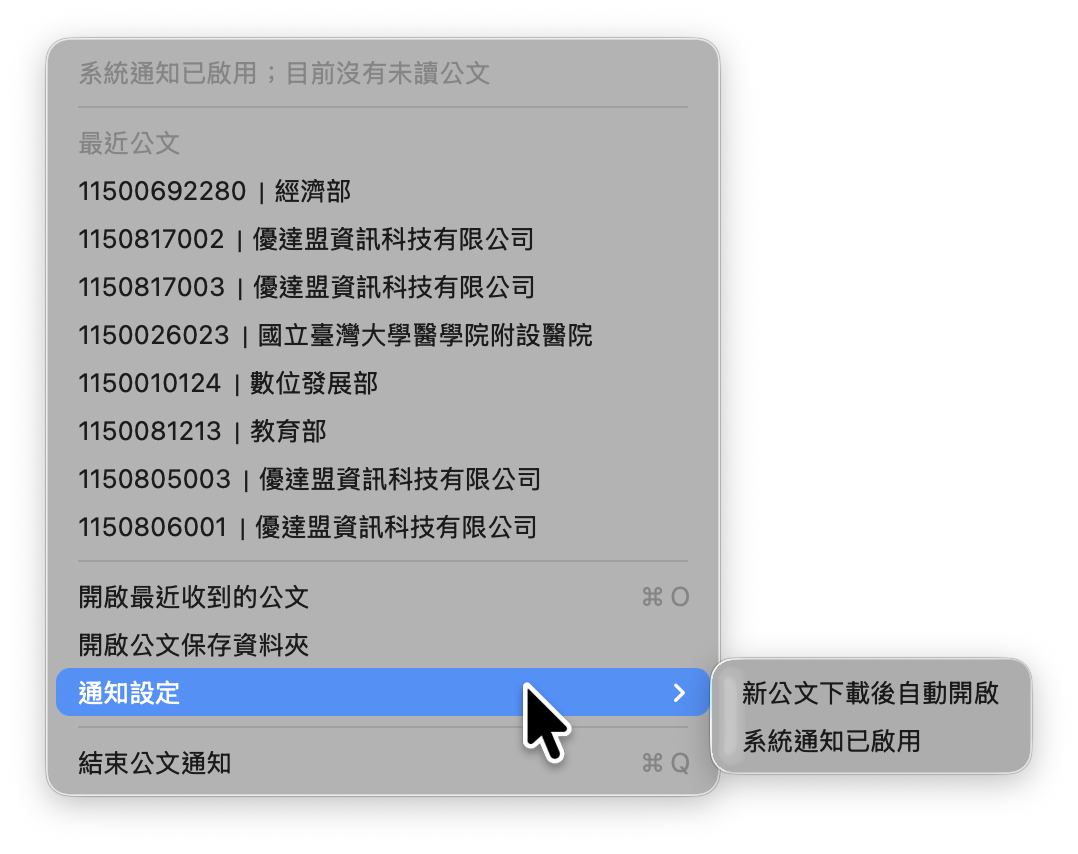
Real use case 01 | AI official-document system
The notification shows what needs attention. From the same view, open the document or recent files and carry on with the next step.
The operational gap
AI agents set a shared working rhythm across the systems you already use. Work no longer depends on someone remembering.
Email, forms, spreadsheets, and chat logs sit apart. The team cannot quickly see the next owner or the deadline.
Staff compare quotes, orders, contracts, and attachments by hand. Repetitive work uses up expert time and raises the risk of omissions.
Reminders depend on personal habits, so important replies can slip. Customers receive uneven service as a result.
ERP, CRM, project tools, and mail each keep their own records. Managers have no single event trail to judge progress.
The agent team
Each role has a defined purpose, data source, and hand-off. Preparation can be automated, and who approves the result stays visible.
Receives email, forms, and files, extracts the fields, and creates traceable events.
Compares prices, quantities, terms, and attachments against set rules, then flags the differences.
Proposes the next reminder from due dates, priority, and reply status.
Drafts replies for review and keeps the link to the original thread.
Turns events into a short brief on risk, progress, and open decisions.
Keeps source, version, approver, and execution records for the audit trail.
See it in context
Switch scenes to see how the same principles fit different teams.
From inbound quote requests to follow-up, agents handle the paperwork. Sales keep their time for customers and decisions.
01 / Intake
The agent reads the mail and attachments, then lists products, quantities, delivery dates, and contacts.
02 / Check
The agent compares past quotes, supplier terms, and internal rules. Differences that need a person are flagged.
03 / Follow-up
When a deadline nears or data is missing, the agent drafts the reminder and reply. A person approves before anything is sent.
Works with your stack
EudTech maps events and permissions across the systems your operation already runs on.
Keep thread, sent, and reply evidence, and trigger events and reminders from it.
Connect orders, invoices, payments, and stock data.
Bring customer interactions and opportunity status into the same trail.
Synchronise owners, deadlines, blockers, and delivery evidence.
Deliver approved notifications and briefs to the right team channel.
Connect existing systems through events and permission boundaries. Nothing has to be rebuilt at once.
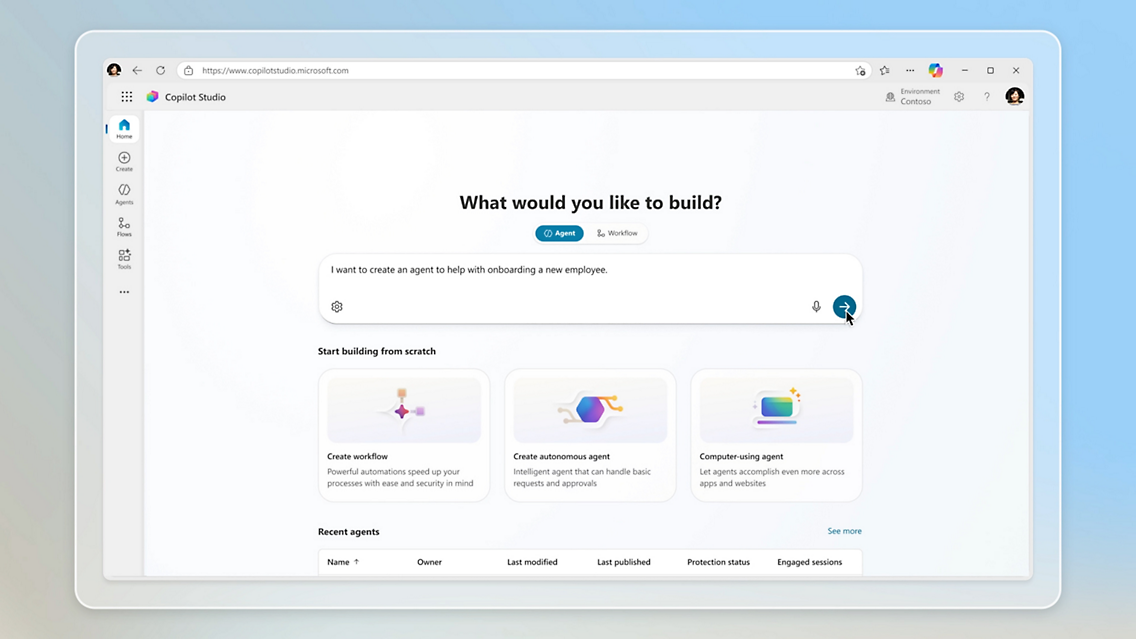
Microsoft Copilot Studio
Where Microsoft technology fits the customer environment, EudTech can build governed agents with Copilot Studio, Dataverse, SharePoint, Microsoft 365, connectors, and APIs. The final architecture depends on licences, permissions, data boundaries, and acceptance requirements.
Governance by design
Every implementation includes control points, so the team can understand, approve, and audit what the agents do.
Grant only the permissions each role, source, and action needs.
A person approves payments, formal sends, deletions, and major status changes.
Keep inputs, rules, outputs, approvers, and timestamps so every result can be traced.
Set escalation thresholds, reminder cadence, and exceptions in readable rules.
Track on-time rate, response time, human intervention, and error rate, then adjust.
A practical path
Map follow-up, reconciliation, and reminder work. Choose one flow with clear inputs and outputs.
Define sources, status, owners, deadlines, and exceptions. Mark the actions that need human approval.
Connect existing systems. Verify events, reminders, and the audit trail with real data.
Let measured results decide whether to add agents, flows, teams, or automation.
Choose the right scope
Clarify the process, data sources, and risks, then pick the first scene to implement.
Discuss scopeDeliver one agent workflow that can be operated, observed, and verified repeatedly.
Discuss scopeCombine several agents and systems into department-level tracking and governance.
Discuss scopeConnect cross-department flows on one event architecture that can keep evolving.
Discuss scopeBuilt for real operations
Processes are complex, but the team cannot keep up the follow-up by hand.
Need a clear record of client commitments, delivery evidence, and milestones.
Handle large volumes of quote requests, checks, lead times, and supplier replies.
Need every important decision approved, evidenced, and traceable.
Need strict access control, data boundaries, and human intervention.
Want fewer missed requests, delays, and duplicate replies.
FAQ
No, they are one service. Headless SaaS connects existing systems and provides the branded entry point and event layer. AI agents handle follow-up, checks, and reminders inside the same permission, approval, and audit model.
No. Agents take over follow-up, checks, and reminders, while people still approve important decisions. The aim is more capacity and visibility, not less accountability.
No. EudTech first checks the APIs, exports, or events your systems already offer, then connects the highest-value flow with minimal change.
Pick a flow with clear inputs, high repetition, and a measurable cost of delay. Quote-request follow-up, invoice checks, and project reminders are typical.
Not by default. Agents prepare drafts and suggestions, and an authorised person approves the send. Exceptions follow the rules and risk levels your organisation sets.
Data is classified before go-live. Permission boundaries are then set by source, role, field, and action, and access and output records are kept.
Baselines are set before and after go-live for on-time rate, response time, missed items, human intervention, and closure time.
Yes. Start with a single-flow pilot, fix the most frequent follow-up or check, and expand as the results come in.
Book a process diagnostic. EudTech confirms goals, data sources, approval points, and success metrics, then proposes a scope.
Ready for the first workflow?
Tell EudTech where follow-up, checks, or reminders take the most time.